The Best Monitor Light Bar for Eye Strain, Chosen by What You Care About
A monitor light bar fixes eye strain by lighting your desk without glaring on your screen. That is the whole job. This page routes you to the right one for your budget and monitor, and is honest about which premium features earn their price and which are just decoration.
Updated June 2026·15 min read·A value-first buyer's guide: what relieves eye strain, minus the marketing
Most monitor light bar reviews hand you a spec table and let you fight it out. That is backwards. For eye strain there is really only one thing a light bar has to do well, and once you understand it, the choice gets simple and a lot cheaper than the marketing wants you to believe. So this page does not open with a column of numbers. It opens by routing you to a pick based on the one or two things you genuinely care about, then it explains the mechanism, then it tells you bluntly which features are worth your money and which are there to justify a higher price.
Here is the short version of the science, because it drives every recommendation below. Eye strain at a desk is mostly a contrast problem. Your screen is bright, the desk and wall behind it are dark, and your pupils spend all day flicking between the two and never settling. A monitor light bar clips to the top of your screen and pours light down onto the desk and keyboard, lifting the dark side of that contrast so your eyes stop fighting it. The clever part is the optics: a good bar throws its light forward and down onto the desk and almost nothing back at the panel, so you get a brighter work surface with no washed-out screen or reflected hotspot. That asymmetric, glare-free beam is the entire reason this product exists, and it is the first thing your money should buy.
Everything else is comfort and convenience layered on top. Adjustable color temperature, stepless dimming, an ambient light sensor that auto-dims, a rear backlight, a desktop dial: some of these genuinely help and some are pure decoration for eye strain specifically. As a value advisor my job is to keep those two piles separate so you do not overpay. You do not need the most expensive bar on the shelf to stop your eyes aching by 4pm. You need the right optics, no flicker, decent color rendering, and a clip that actually fits your monitor. Pick the cheapest bar that nails those four, add convenience only if you will use it, and stop there.
Interactive
Pick your best monitor light bar for eye strain
Set three things, your budget, your monitor shape and whether you want a backlight, and the router points you to the bar that fits, with the reasoning in plain language.
Answer three questions
Your matchQuntis HaloBar Pro
Mid-range, the value default, glare-free optics done right
Why this one
The value default. It nails the asymmetric, glare-free optics that relieve eye strain and skips the extras you would overpay for. The bar most people should buy and stop.
A buying guide, not eye care. For persistent eye strain, see an optometrist.
The routes
Route yourself to the right monitor light bar
Forget ranking them one to five. Find the line below that sounds like you and jump to that pick. Each route points to the bar that wins for that specific priority, and the full write-up is a tap away.
Digital eye strain at a desk is rarely about the screen being too bright on its own. It is about contrast. Your monitor is a glowing rectangle, and if the desk, wall and room around it are dim, your eyes are stuck managing a hard bright-to-dark border for hours. Pupils constantly adjust between the bright panel and the dark surroundings, the muscles that do that work get tired, and you feel it as aching, dryness, headaches and that fried sensation by late afternoon. The fix is not to dim your screen into uselessness or crank a lamp that bounces glare back at you. The fix is to raise the brightness of everything around the screen so the contrast your eyes have to bridge gets gentler.
That is what a monitor light bar does, and why its shape and optics matter more than its wattage. It clips onto the top edge of your monitor and projects light forward and down onto the desk and keyboard. A well-designed bar uses an asymmetric lens, which means it throws light onto the desk in front of you while sending almost none backward onto the screen. So your work surface gets brighter and the harsh contrast eases, but the panel stays free of reflections and washout. Aim for something in the region of 500 lux on the desktop, a common comfortable level for reading and detailed work, balanced so the desk and the screen no longer feel like two different worlds.
This is also why an ordinary desk lamp is the wrong tool. Point a normal lamp at your workspace and it either glares off the screen, creating exactly the reflections and hotspots you are trying to avoid, or it eats space on a desk that is already crowded. The light bar wins on geometry: it sits above and behind the top bezel, out of your sightline, lights the desk evenly, and leaves your screen clean. Get the geometry and the optics right and the relief is immediate and obvious. Get distracted by brightness numbers and gadgetry and you can spend a lot more for no extra comfort.
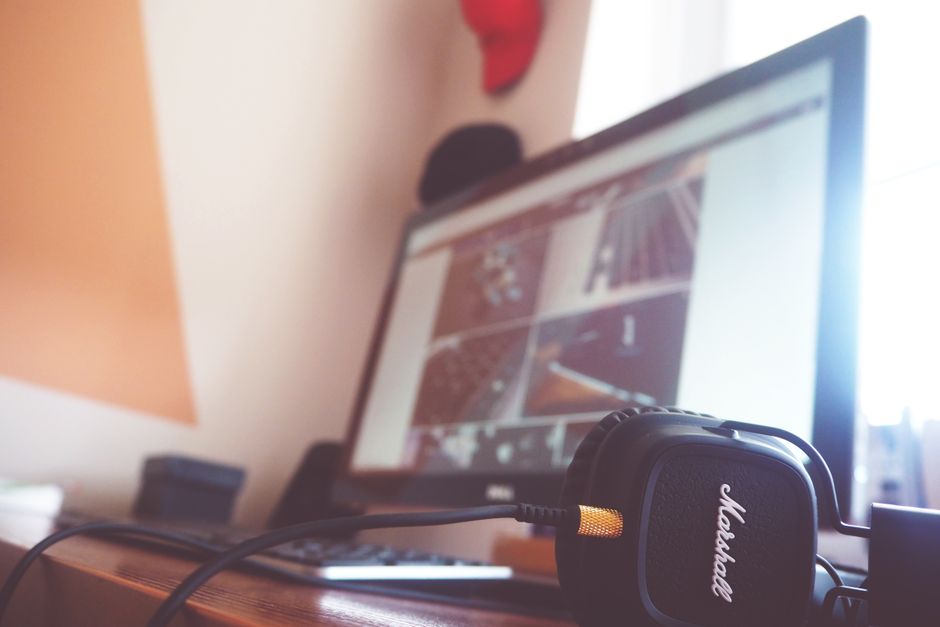
Photo: Tranmautritam / PexelsBuying factors
What actually matters in a monitor light bar
Five things decide whether a bar relieves eye strain. The first is non-negotiable. The rest are where price and value diverge, so read them with your wallet in mind.
Asymmetric, glare-free optics (non-negotiable)
This is the whole product. The bar must light the desk in front of the screen and send essentially nothing back onto the panel. That asymmetric beam is what eases the contrast without adding reflections. If a bar does not clearly do this, it is just a lamp on your monitor and it will glare. Every pick on this page is built around this; it is the one feature you must not compromise on, at any price.
Adjustable color temperature
Being able to shift from a cool, daylight-like tone to a warm, amber one matters for comfort across the day. Cool light suits focused daytime work; warm light is easier on the eyes in the evening and less likely to disrupt wind-down. Stepless adjustment is nicest, but a few well-chosen presets, like the warm, neutral and cool on the budget curved pick, cover most needs for far less money.
Flicker-free and high color rendering
Cheap LED lighting can flicker faster than you consciously see, and that invisible flicker is itself a fatigue source. Good bars are driven to run flicker-free. High color rendering, often quoted as CRI, means colors and especially whites look natural rather than greenish or washed out, which reduces the subtle effort of reading under bad light. The premium bars all but guarantee both. At the budget tier, confirm them from recent buyer feedback rather than assuming.
Stepless dimming and enough range
You want to set the desk to roughly match the screen so neither dominates, around that 500 lux comfort zone, and that means real control over brightness. Stepless dimming lets you land exactly there; coarse steps can leave you choosing between too dim and too bright. The range matters too: it should go low enough for a dark room at night and high enough for a bright daytime desk. This is a comfort feature worth having, though not worth a huge premium on its own.
A clip that fits your monitor
The bar has to sit securely on your top bezel, and monitors vary. Thin modern panels, thick older ones and curved screens all change how a clip seats. A flat-bar clip can rock or gap on a curve, which throws the light off and feels unstable. Match the clip to your screen: a curved-specific bar for a curved monitor, and a check that the weighted clip suits your bezel thickness for a flat one. A poor fit undoes good optics.
Power and controls (where fluff hides)
Most bars draw power over USB from your monitor, a hub or a charger, which is fine; USB-C is tidier than USB-A but does not change the light. Controls are where money quietly leaks. A touch strip on the bar is fine but means reaching over the screen. A remote or a desk dial removes that friction and is a genuine convenience. An ambient sensor that auto-dims is the one premium control worth paying for. App control and color-changing modes are mostly decoration for eye strain.
Money talk
Worth paying for, or just marketing?
This is the part the brochures will not give you straight. Here is every common light-bar feature sorted into what genuinely helps your eyes, what is a nice convenience, and what is decoration you should not pay a premium for when the goal is eye-strain relief.
Feature
Verdict
Why
Asymmetric glare-free optics
Worth it
The entire reason the product works. Lights the desk, spares the screen. Never compromise here, even on a budget.
Flicker-free driver
Worth it
Invisible flicker is a real fatigue source. A steady light is core to the comfort you are buying. Confirm it on cheaper bars.
High color rendering (CRI)
Worth it
Natural whites and colors reduce the subtle strain of reading under poor light. Standard on premium bars, variable on budget ones.
Adjustable color temperature
Worth it
Cool for day, warm for night genuinely aids comfort. Stepless is nicer, but a few good presets do the job for much less.
Stepless dimming with good range
Worth it
Lets you balance the desk against the screen precisely, around the 500 lux comfort zone. A real, usable benefit.
Ambient light sensor (auto-dim)
Nice to have
The one premium feature I will defend. It removes the most fiddly manual task. Worth it if you will use it, skippable if you do not mind a dial.
Remote or desk controller
Nice to have
Not about your eyes, but it stops you reaching over the monitor, which is the real reason people stop adjusting their bar. Genuine convenience.
USB-C power
Nice to have
Tidier and more future-proof than USB-A, but it changes nothing about the light. Do not pay a meaningful premium for it alone.
Rear backlight / ambient glow
Mostly fluff
Looks great and lifts the contrast right around the screen a little, so not zero. But it is comfort and ambiance, not the cure. Do not buy a bar for this expecting eye relief.
App control and color modes
Fluff
RGB scenes and phone apps add cost and clutter without doing anything for eye strain. Pure decoration for this use.
Headline maximum brightness numbers
Fluff
You want a balanced desk around 500 lux with no glare, not the brightest bar. A big lux figure on the box is a marketing flex, not a comfort win.
Rule of thumb: buy the cheapest bar that gets every Worth it line right, then add a Nice to have only if you will use it daily.
Setup
Set it up so it actually works
A great bar set up badly still strains your eyes. Five minutes of placement and a couple of habits do most of the work.
Clip it centered on the top edge of your monitor so the light reaches the full width of your desk evenly, not just one side.
Aim the beam down onto the desk and keyboard in front of the screen, never angled up toward your eyes or back at the panel. Glance at the screen from your seat and confirm there is no reflected hotspot.
Set the brightness so the desk roughly matches the screen, in the region of 500 lux for reading and detailed work, so neither the panel nor the desk dominates your view. If the screen still feels like it is glowing against a dark desk, bring the bar up a little.
Use a cool, daylight tone for focused daytime work, then shift to a warm, amber tone in the evening to ease your eyes and avoid a wall of cold light at night.
Keep some general room light on too. A light bar balances your immediate desk, but working in an otherwise pitch-dark room rebuilds the very contrast you are trying to remove. Pair the bar with modest ambient lighting for the best result.
If you wear progressive lenses or already get frequent headaches, treat persistent eye strain as a reason to see an optometrist. A light bar is a comfort tool, not a substitute for an eye exam.
At a glance
The five monitor light bars at a glance
Every bar here is built around the asymmetric, glare-free optics that matter most. They differ on control, fit and price. Scan the table, then read the route or pick that fits you.
Prices move constantly, so we use tiers, not figures. Specs are described qualitatively to stay honest.
The picks
The five bars, and exactly who each one is for
Each card is the winner of one route above. Read the one that matched you, and ignore the rest with a clear conscience.
Best no-compromise pick
Route: I want the best, no compromise
BenQ ScreenBar Pro
The one to buy if you just want the best version of the core job and never want to touch a dial. The auto-dimming sensor is the rare premium feature that actually earns its keep.
Color temp: Adjustable, warm to coolDimming: Stepless, with auto-dim sensorBacklight: NoFits: Flat and gently curvedPrice: Premium
Best for: People who want set-and-forget glare-free light and will pay for the sensor and build
If money is not the deciding factor and you want the cleanest version of what a monitor light bar does, this is the pick. The optics are excellent: a genuinely asymmetric beam that floods the desk with even, glare-free light and keeps it off the panel, which is exactly what your eyes want. Color temperature swings from a warm evening tone to a cool daylight one, dimming is stepless rather than stepped, and the output is flicker-free with high color rendering, so whites look white and your work surface looks natural. The feature that justifies the price, and the one I would not dismiss as fluff, is the ambient light sensor. It reads the room and nudges the bar's brightness so your desk stays balanced against the screen as daylight fades, which is the single most fiddly thing to manage by hand. If you will use that, the premium is defensible. If you are happy reaching up to twist a dial twice a day, you are mostly paying for convenience and a nicer housing here, and a cheaper bar gives your eyes the same relief. Buy it for the auto-dim and the build, not because expensive equals healthier.
Worth it here
Asymmetric glare-free optics that light the desk to a comfortable working level without reflecting on the screen
Ambient light sensor auto-dims to keep your desk balanced as the room changes through the day
Wide adjustable color temperature, stepless dimming, flicker-free output and strong color rendering
The trade-off
You pay a clear premium, and most of the extra over a good value bar is the sensor and finish, not better eye relief
Route: I want the most relief for a sensible price
Quntis HaloBar Pro
The value advisor's default recommendation. It does the one thing that matters, glare-free asymmetric light, for a fraction of the premium bars, and skips the features you were going to overpay for.
Color temp: Adjustable, warm to coolDimming: SteplessBacklight: NoFits: Flat and curvedPrice: Mid-range
Best for: Almost everyone: the cheapest bar that nails the optics that actually relieve eye strain
This is the pick I steer most people to, because it is the cheapest bar that gets the part that matters right. The optics are asymmetric and glare-free: light goes down onto the desk, not back at your screen, which is the entire mechanism behind easing eye strain. You also get adjustable color temperature so you can run a cool daylight tone for focused work and a warm one in the evening, and stepless dimming so you can dial the desk up to a comfortable level rather than jumping between coarse steps. What it leaves out is exactly what you were at risk of overpaying for: there is no ambient sensor doing the dimming for you and no rear backlight. For the vast majority of desks that is the right trade. You reach up and adjust it yourself a couple of times a day, and in exchange you keep a meaningful chunk of money in your pocket while your eyes get the same relief the premium bars provide. If you want one sentence of advice from this whole page, it is this: start here, and only move up if you have a specific reason like wanting auto-dim or a backlight. Buying this and stopping is not settling, it is spending well.
Worth it here
Asymmetric glare-free optics that light the desk without reflecting on the screen, the feature that actually matters
Adjustable color temperature and stepless dimming, so you can warm it down at night and reach a comfortable desk level
Costs far less than the premium bars while delivering the same core eye-strain relief
The trade-off
No ambient sensor or backlight, so you adjust brightness by hand as the room changes
The most relief per dollar. A wide, glare-aware bar with a remote so adjusting it is effortless, at a price that makes trying a light bar an easy yes.
Color temp: Adjustable via remoteDimming: Adjustable via remoteBacklight: NoFits: Flat, wider bars availablePrice: Budget
Best for: Tight budgets and wide desks who want a remote so they never reach over the screen
When the goal is the most eye relief for the least money, this is the value pick below the HaloBar Pro. It lights the desk in front of your screen, comes in widths that suit a large or ultrawide setup, and crucially it ships with a remote. That remote matters more than it sounds: the most common reason people stop adjusting a light bar is that reaching over the monitor is annoying, and a remote removes that friction entirely, so you actually keep the desk balanced. The honest caveat, and this is the value advisor speaking, is that the budget tier is where quality control gets less consistent. The expensive bars all but guarantee flicker-free output and good color rendering. Down here you want to confirm those from recent buyer feedback rather than assume them, because a flickering or sickly-toned light works against the eye comfort you bought it for. Treat this as the smart, low-risk way to test whether a light bar helps you at all. If it does and you want more polish later, you can step up, but plenty of people buy this and never feel the need to.
Worth it here
Lowest cost of entry, which makes it the easy way to find out if a light bar fixes your eye strain
Comes with a remote, so changing brightness and color temperature never means leaning over the monitor
Wider bar options light more of a large desk or an ultrawide screen evenly
The trade-off
At the budget tier you should verify it runs flicker-free and renders color well, since cheap bars vary more on those
A budget bar with a clip built for curved screens. If your monitor curves and you do not want to overthink it, this is the cheap, sensible answer.
Color temp: Three preset temperaturesDimming: Adjustable brightnessBacklight: NoFits: Curved, also fits flatPrice: Budget
Best for: Curved-monitor owners on a budget who need a clip shaped to follow the curve
Curved monitors are where a lot of light bars quietly fail, because a clip designed for a flat top edge can rock, gap or sit unevenly on a curve, throwing the light off. This Laliled bar is shaped to follow the curve, so it seats properly and aims its beam where it should. For a budget curved pick that is the whole point, and it does it. You get adjustable brightness and three preset color temperatures, which covers the basics: a cooler tone for daytime focus and a warmer one to wind down at night. What you give up at this price is granularity. Instead of stepless color and brightness you get presets, so you are choosing from a few set points rather than dialing in an exact tone. For most people on a curved screen who just want their desk lit and their eyes eased, that is plenty. As always at the budget end, glance at recent buyer reports to confirm the light is steady and the color is pleasant before you commit. If your monitor is flat, you have better-value options above; this one earns its place specifically because it fits the curve.
Worth it here
Clip and bar are shaped to sit flush on a curved monitor, where a flat bar can rock or gap
Three preset color temperatures cover cool work light and a warmer evening tone
Inexpensive, so curved-screen owners can get desk lighting without buying a premium bar
The trade-off
Fixed temperature presets and a simpler build mean less fine control than a stepless premium bar
The same strong front optics, plus a rear backlight and a desktop controller. Buy it for the controller and the ambiance, not because the backlight cures eye strain.
Color temp: Adjustable, warm to coolDimming: Stepless, via wireless desk controllerBacklight: YesFits: Flat and curvedPrice: Premium
Best for: People who want a rear ambient glow plus a desk dial they can reach without leaning in
The Halo is for the person who has seen the glowing strip behind someone's monitor and wants it, and there is nothing wrong with that as long as you know what you are buying. The front-facing light is the important half and it is excellent: the same asymmetric, glare-free, flicker-free beam that lights your desk and spares your screen. On top of that the Halo adds a rear backlight that washes the wall behind the monitor with a soft glow. For eye strain that backlight is a minor help at best. It does gently lift the darkness immediately around the screen, which is the contrast problem in miniature, so it is not pure theater. But the heavy lifting is still the front beam, and you should not pay the premium expecting the backlight to be the thing that saves your eyes. The feature I would actually pay for here is the wireless desktop controller. Reaching over your monitor to adjust a touch bar gets old fast, and a dial you can spin without leaning in is a real daily convenience. Buy the Halo if you want ambiance and a proper controller. If you only care about your eyes, your money goes further elsewhere.
Worth it here
Front beam is the same glare-free, asymmetric, flicker-free light that does the real eye-strain work
Rear backlight adds a soft glow behind the monitor that further softens the bright-screen, dark-wall contrast
Wireless desk controller lets you set brightness and color temperature without reaching over the screen
The trade-off
The backlight is mostly ambiance, so you are paying premium money for a feature that is comfort and looks more than measurable relief
A value advisor's job includes telling you when not to spend. Here are the cases where the obvious choice is the wrong one.
!Do not buy a normal desk lamp for this job
A standard lamp pointed at your workspace glares off the screen, creating the reflections and hotspots you are trying to eliminate, and it hogs desk space. The asymmetric optics and over-the-bezel position are the entire advantage of a light bar. If glare-free desk lighting is the goal, a lamp is the wrong tool, not a cheaper version of the right one.
!Do not pay a premium chasing the brightest bar
Eye comfort comes from a balanced desk with no glare, around 500 lux, not from raw output. A headline maximum-brightness number is marketing. Once a bar can comfortably reach and balance your desk, more peak brightness buys you nothing for eye strain. Spend on optics, flicker-free output and fit instead.
!Do not buy a flat-clip bar for a curved monitor
A clip made for a flat top edge can rock, gap or sit unevenly on a curved screen, which makes the bar unstable and aims the light wrong. If your monitor curves, get a bar shaped for it, like the curved budget pick here. The best optics in the world do not help if the bar cannot sit straight.
!Do not buy the backlight model expecting it to fix your eyes
A rear glow looks great and helps the contrast right around the screen a little, but the front beam does the real work. If your budget is limited and your goal is eye relief, a value bar with no backlight beats a pricier backlit one. Buy the backlight for ambiance you want, not as the cure you need.
!Do not ignore flicker and color at the budget tier
The cheapest bars are where flicker-free output and good color rendering get inconsistent, and a flickering or sickly-toned light works against the comfort you bought it for. If you go budget, spend two minutes in recent buyer feedback confirming the light is steady and the color is pleasant. A bad cheap bar is worse value than a good mid-range one.
Questions
Best monitor light bar for eye strain: FAQ
Does a monitor light bar really help with eye strain?
Yes, when the cause is the common one: a bright screen against a dark desk and room. A light bar raises the brightness of your immediate work area without glaring on the screen, which eases the harsh contrast your eyes fight all day. It will not fix strain caused by an uncorrected prescription, an untreated dry eye condition or staring without breaks, so pair it with good habits and an eye exam if symptoms persist. For contrast-driven discomfort, though, the relief is usually immediate and noticeable.
What is the best monitor light bar for eye strain overall?
For most people the best value is the Quntis HaloBar Pro, because it nails the asymmetric, glare-free optics that actually relieve eye strain without charging for features you may not use. If you want the no-compromise version with an auto-dimming ambient sensor, the BenQ ScreenBar Pro is the premium pick. The honest answer is that the cheapest bar that gets the optics, flicker-free output, color rendering and fit right will relieve your eyes about as well as the most expensive one. Spend up only for convenience features you will genuinely use.
Why is a light bar better than a regular desk lamp?
Geometry and optics. A normal lamp lights your desk but also glares off the screen and takes up space. A monitor light bar clips above the top bezel, out of your sightline, and uses an asymmetric lens to throw light down onto the desk while sending almost none back at the panel. So you get a brighter, more balanced work surface with no reflections or hotspots on the screen, which is exactly what eases the contrast behind eye strain. A lamp cannot do that cleanly no matter how you angle it.
How bright should a monitor light bar be?
Aim for a balanced desk rather than a bright one. A common comfortable target is roughly 500 lux on the desktop for reading and detailed work, set so the desk and the screen feel like part of the same scene rather than two different brightness worlds. That usually means dimming the bar to match your screen, not maxing it out. This is why stepless dimming is useful and why a huge headline brightness number is not: you are aiming for balance and zero glare, not maximum output.
What color temperature is best for reducing eye strain?
It depends on the time of day, which is why adjustable temperature helps. A cooler, daylight-like tone suits focused daytime work and matches typical office lighting. A warmer, amber tone is gentler on the eyes in the evening and less likely to interfere with winding down. The ideal is a bar that lets you shift between them. Stepless control is the nicest version, but a bar with a few good presets, such as a warm, neutral and cool, covers the same need for much less money.
Do I need flicker-free and high CRI, or is that marketing?
Those two are not marketing, they are core. Invisible flicker from a cheaply driven LED is itself a fatigue source, and low color rendering makes whites look off and adds subtle reading effort, both of which work against the comfort you are buying. The premium bars effectively guarantee flicker-free output and high CRI. On budget bars these are the specs that vary most, so confirm them from recent buyer feedback before you buy. They matter more than brightness, backlights or app features.
Are the premium features like auto-dimming and a backlight worth it?
Selectively. The ambient light sensor that auto-dims, found on the BenQ ScreenBar Pro, is the premium feature I would actually pay for, because keeping your desk balanced against changing room light is the most fiddly thing to do by hand. A remote or desk controller is a genuine convenience too. A rear backlight, by contrast, is mostly ambiance: it helps the contrast right around the screen a little but is not the thing that relieves your eyes. App control and color modes add cost without helping eye strain at all. Pay for convenience you will use, not decoration.
Will a monitor light bar fit my curved or ultrawide monitor?
Only if you match the bar to the screen. A clip designed for a flat top edge can rock or gap on a curved monitor and aim the light unevenly, so a curved screen wants a bar shaped to follow the curve, like the Laliled curved pick here. For a wide or ultrawide flat screen, choose a wider bar so the light covers the full desk evenly rather than just the center. Also check the clip suits your bezel thickness. A secure, well-aimed fit is as important as the optics.
How is a monitor light bar powered, and does USB-C matter?
Almost all of them draw power over USB, typically from a port on your monitor, a USB hub, or a charger. That keeps cabling simple and means there is no extra wall plug for the light itself. USB-C is tidier and more future-proof than USB-A, but it makes no difference to the quality of the light. So if a bar you like uses USB-A, that is not a reason to reject it, and you should not pay a meaningful premium for USB-C on its own.
Can I just turn up the room lights instead of buying a light bar?
Better room lighting genuinely helps, and if you already have even, glare-free ambient light that balances your screen, you may not need a bar at all. The trouble is that most rooms light the space, not the desk in front of the monitor, and brighter overhead light often reflects off the screen. A light bar targets the exact area that needs lifting, the desk right below the panel, without touching the screen. The best setup is usually both: modest room light plus a bar to balance the immediate workspace.
Affiliate disclosure. This guide pays for itself through affiliate links. Buy through one and we may earn a small commission at no added cost to you, which never changes a pick: every recommendation here is chosen on optics, comfort and honest value, not on what pays best. As an Amazon Associate I earn from qualifying purchases.
This is a buying guide, not eye care. A monitor light bar is a comfort tool. If eye strain persists despite a balanced, glare-free desk, see an optometrist to rule out a vision or eye-health cause.